
Support
Something not working, or a translation that's off? Here's how to reach me and fix the common things yourself.
Contact
In the app: Settings → Get in touch. It writes straight to me, and I read everything myself — depending on my roster it may take a few days, but you'll get an answer if you leave an address.
Or by email: crewlingo@hummeldevelopments.de
A wrong translation or odd pronunciation
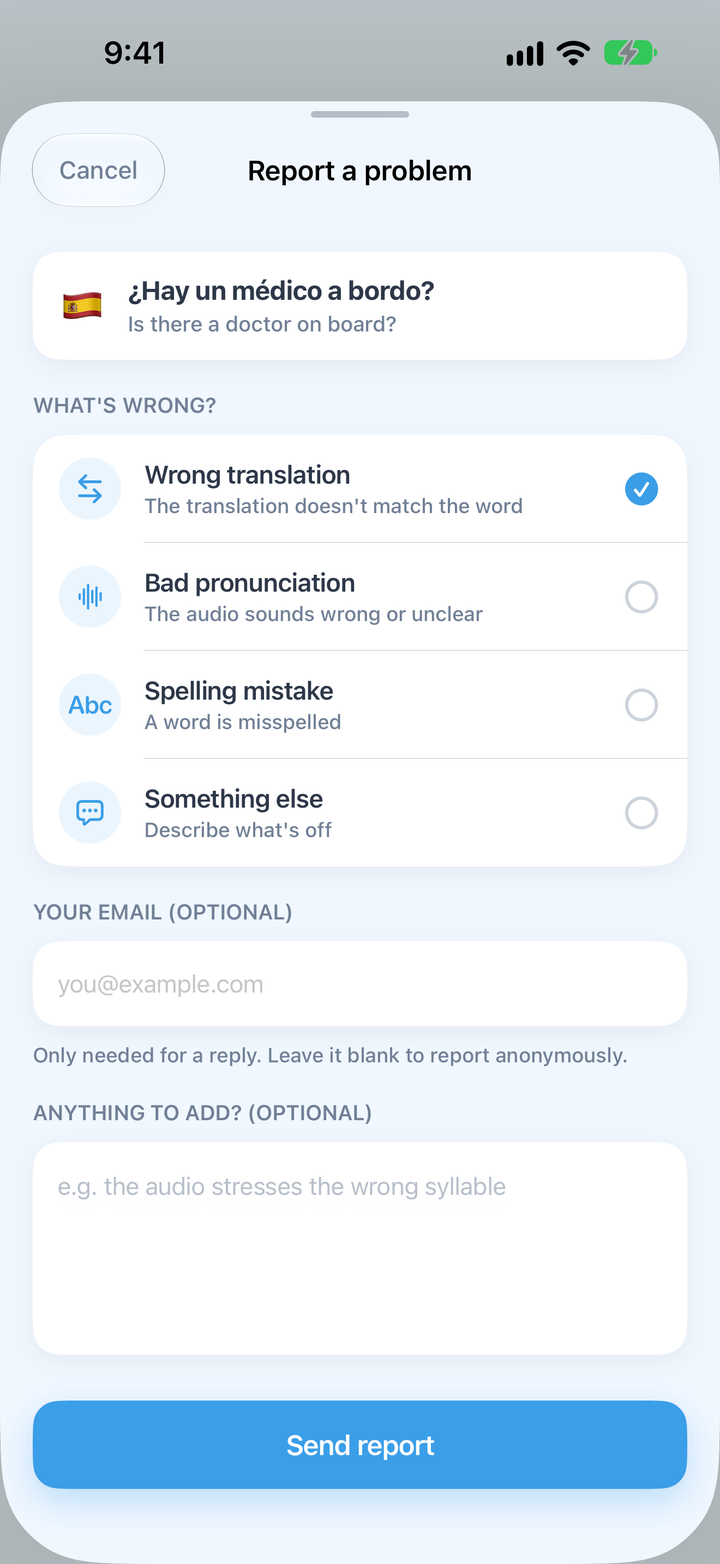
Every card in a session has a report button. Choose what's wrong and add a comment if you like; the report comes straight to me with the word and language attached, so you don't need to describe which card it was.
Restoring Plus
Plus is tied to your Apple Account. On a new device, open the Plus screen and tap Restore.
Cancelling a subscription
Subscriptions are managed by Apple: on your iPhone, open Settings → [your name] → Subscriptions, or follow Apple's guide to cancelling a subscription. You keep Plus until the end of the period you've paid for.
Starting a language over
Settings → Reset a language sends every word in that language back to new and empties its boxes. Your streak and badges are kept. This can't be undone.
Your User ID
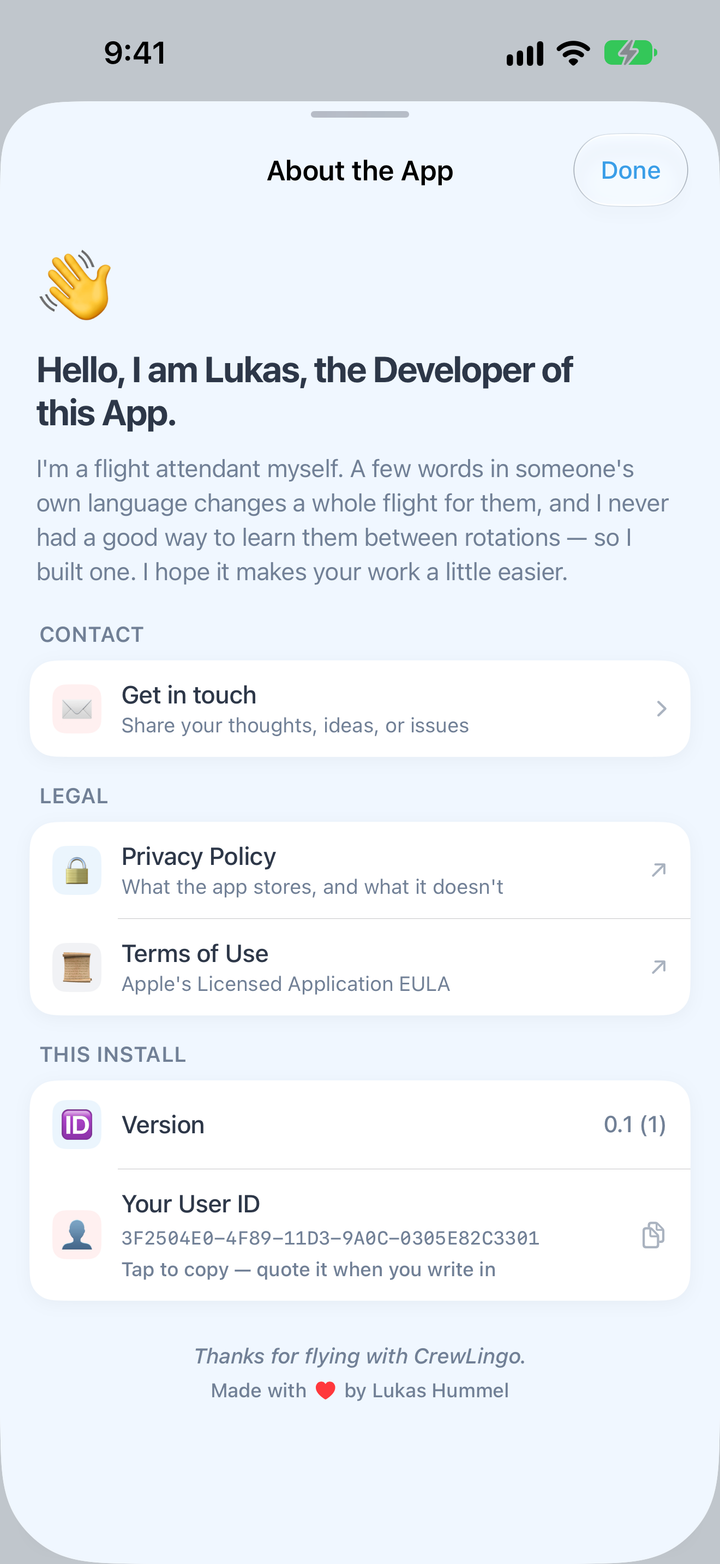
If you ask about your data (see the privacy policy), include the ID shown under Settings → About the App → Your User ID — it's the only way to find your install, since there is no account.
Common questions
Do I need an account?
No. There’s no sign-up and no login. Install the app and start; your progress syncs through your own iCloud account.
Does it work offline?
Yes, completely. Every word and all the audio ship inside the app.
Is it on Android?
Not yet — CrewLingo is iPhone-only for now.
My native language isn’t English. Can I still use it?
Yes. Set your native language and every card shows the meaning in it: English, Spanish, French, Italian, German, Portuguese or Turkish.
I found a wrong translation.
Please report it from the card — there’s a report button on every card in a session, and it comes straight to the developer. Leave your email and you’ll get a reply.
Is this medical training?
No. CrewLingo teaches the language for medical situations — asking, understanding, reassuring — not medical procedure. Your airline’s training and procedures always come first.
What’s free?
Everything the app does, in all seven languages. Only the topics are limited: the first three are free, Plus unlocks the rest.